
Your Cart is empty
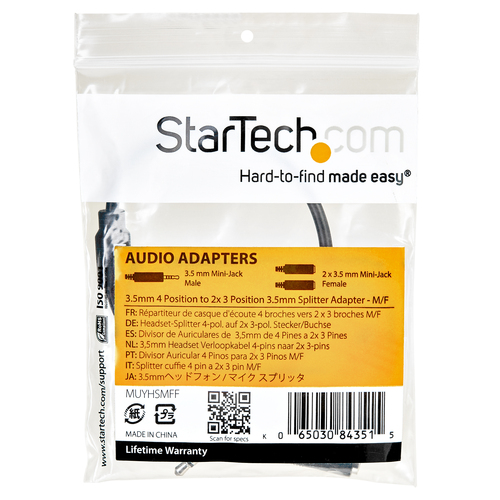
StarTech.com MUYHSMFF audio splitter Black
StarTech.com MUYHSMFF audio splitter Black
SKU : MUYHSMFF
StarTech.com MUYHSMFF audio splitter Black
Short Description:
StarTech.com MUYHSMFF, Black, 3.5 mm, 2 x 3.5 mm, Male, Female, Polyvinyl chloride (PVC)
Manufacturer part number :
MUYHSMFF
Vendor
:
StarTech.com
Description
Turns a 3.5mm audio output port into two distinct ports – one 3.5mm headphone jack and one 3.5mm microphone port
Have you recently purchased a newer laptop or Ultrabook and now you can’t figure out where to plug in your favorite headset?
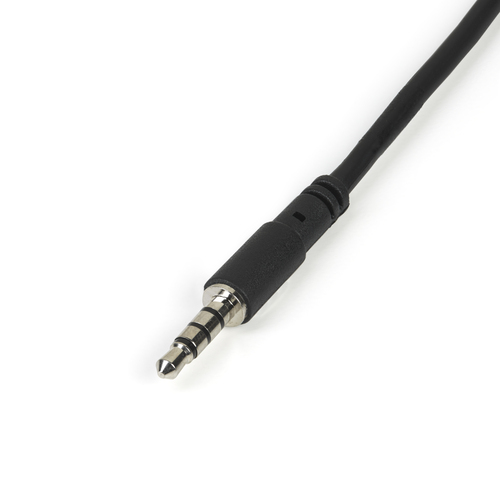
Most new laptops and Ultrabooks come equipped with a single 3.5mm 4-position (4pin) audio port that supports both audio input and output. A great number of headsets on the market come equipped with two separate headphone and microphone connectors that are not compatible with this new configuration.
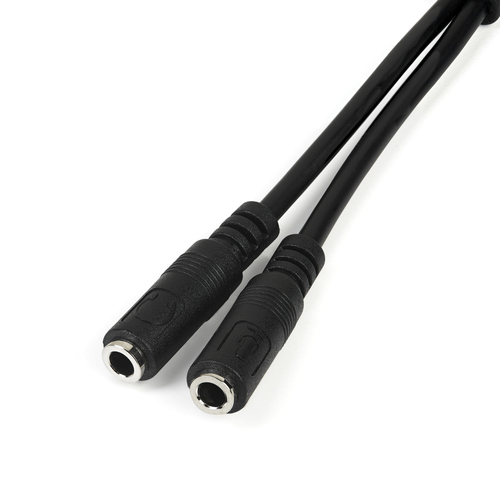
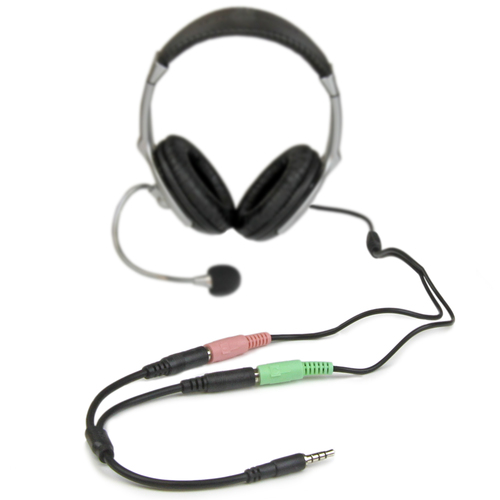
The MUYHSMFF headset adapter features two 3.5mm 3-position ports that provide a separate headphone and microphone connection that can be connected to the single audio port on your laptop. Alternatively, you can also connect a separate microphone and powered speakers if you prefer to use Skype or chat online without using a headset.
Headset Connectivity
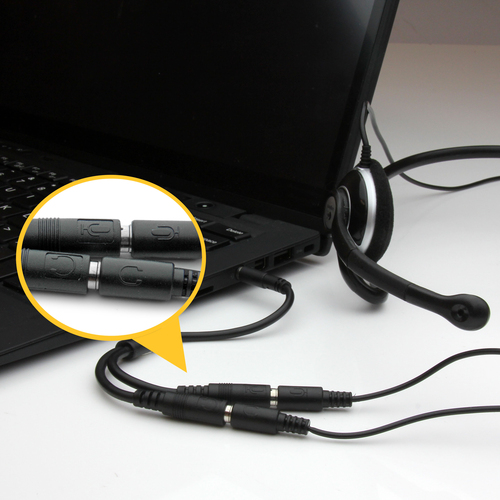
Simply connect the headphone plug from your headset into the audio output port marked with the headphone symbol, and connect the microphone plug into the audio input port marked with the microphone symbol. Plug the adapter into audio port on your laptop and you’re all set.
Microphone and Powered Speaker Connectivity
Want to work or game without using a headset?
You can also connect a microphone and powered speakers to your laptop using the adapter. Just plug in your microphone into the audio input port marked with the microphone symbol, and plug your powered speakers into the audio output port marked with the headphone symbol, and connect the adapter to the audio port on your laptop.
Keep in touch while you travel
Are you travelling for work or taking a trip?
The headset adapter features a compact and sturdy design that makes it the perfect solution for mobile applications.
Tuck the adapter in with your tablet or slip it inside another carrying case. It works great with tablets and smartphones that have a single audio port. Just connect the headphone and microphone plugs from your headset into the adapter, connect the adapter to your mobile device and start talking.
This high quality 3.5mm headset adapter is backed by StarTech.com's lifetime warranty.
Please note :
This adapter is not a headphone splitter or Y-cable. It cannot be used to split the audio output to two separate sets of headphones or speakers.
Some laptops and mobile devices will not work with all external microphones. This is typically caused by an impedance mismatch between the microphone and the device. This is due to hardware incompatibility and is not a limitation of the MUYHSMFF adapter.
Have you recently purchased a newer laptop or Ultrabook and now you can’t figure out where to plug in your favorite headset?
Most new laptops and Ultrabooks come equipped with a single 3.5mm 4-position (4pin) audio port that supports both audio input and output. A great number of headsets on the market come equipped with two separate headphone and microphone connectors that are not compatible with this new configuration.
The MUYHSMFF headset adapter features two 3.5mm 3-position ports that provide a separate headphone and microphone connection that can be connected to the single audio port on your laptop. Alternatively, you can also connect a separate microphone and powered speakers if you prefer to use Skype or chat online without using a headset.
Headset Connectivity
Simply connect the headphone plug from your headset into the audio output port marked with the headphone symbol, and connect the microphone plug into the audio input port marked with the microphone symbol. Plug the adapter into audio port on your laptop and you’re all set.
Microphone and Powered Speaker Connectivity
Want to work or game without using a headset?
You can also connect a microphone and powered speakers to your laptop using the adapter. Just plug in your microphone into the audio input port marked with the microphone symbol, and plug your powered speakers into the audio output port marked with the headphone symbol, and connect the adapter to the audio port on your laptop.
Keep in touch while you travel
Are you travelling for work or taking a trip?
The headset adapter features a compact and sturdy design that makes it the perfect solution for mobile applications.
Tuck the adapter in with your tablet or slip it inside another carrying case. It works great with tablets and smartphones that have a single audio port. Just connect the headphone and microphone plugs from your headset into the adapter, connect the adapter to your mobile device and start talking.
This high quality 3.5mm headset adapter is backed by StarTech.com's lifetime warranty.
Please note :
This adapter is not a headphone splitter or Y-cable. It cannot be used to split the audio output to two separate sets of headphones or speakers.
Some laptops and mobile devices will not work with all external microphones. This is typically caused by an impedance mismatch between the microphone and the device. This is due to hardware incompatibility and is not a limitation of the MUYHSMFF adapter.
- Compact design for maximum portability - a great solution to have on hand in your laptop bag
- Lightweight, yet sturdy design that can easily be plugged in when required
- Headset not included
- 3.5 mm Male
- 2 x 3.5 mm Female
- Jacket material: Polyvinyl chloride (PVC) Connector contacts plating: Nickel
- AWG wire size: 28
- 7.87" (0.2 m)
- Black
Specifications
Design
Material
PVC - Polyvinyl Chloride
Features
Connector 1
3.5 mm
Connector 2
2 x 3.5 mm
Jacket material
Polyvinyl chloride (PVC)
AWG wire size
28
Connector 1 gender
Male
Connector 2 gender
Female
Quantity
1
Connector contacts plating
Nickel
Product color
Black
Certification
CE, REACH
Logistics data
Master (outer) case height
11.1" (283 mm)
Master (outer) case width
19.9" (506 mm)
Master (outer) case length
13.3" (337 mm)
Quantity per master (outer) case
800 pc(s)
Harmonized System (HS) code
85176200
Other features
Length
7.9 Inch
Ports & interfaces
Connectivity Technology
Wired
Printing
Color
Black
Technical details
Compliance certificates
RoHS
Weight & dimensions
Weight
0.423 oz (12 g)
Length
7.9 Inch
Package depth
3.74" (95 mm)
Package height
0.472" (12 mm)
Package width
3.5" (89 mm)
Cable length
7.87" (0.2 m)
Package weight
0.494 oz (14 g)
Alternative Products
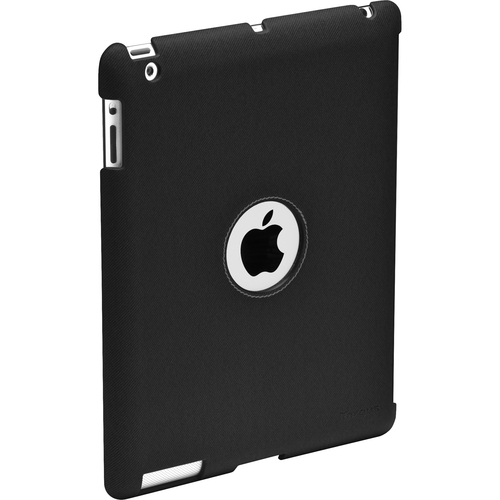
Targus THD007US tablet case Cover Black
THD007US
Targus THD007US, Cover, Apple, iPad 3, 21 oz (594 g)
Loading price
or
Loading price
/mo
Call For Availability
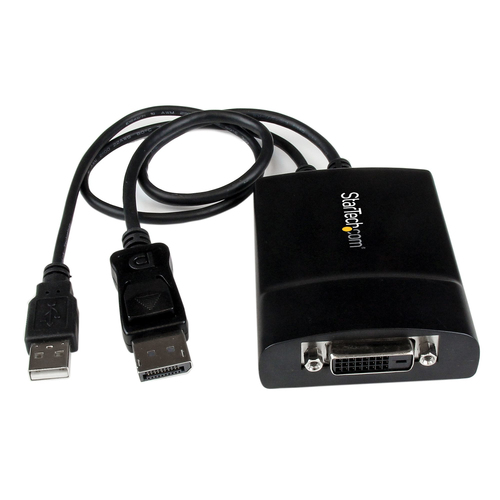
StarTech.com DP2DVID2 video cable adapter 14.6" (0.37 m) DisplayPort DVI-D...
DP2DVID2
StarTech.com DP2DVID2, 14.6" (0.37 m), DisplayPort, DVI-D, Male, Female, Straight
Loading price
or
Loading price
/mo
Call For Availability
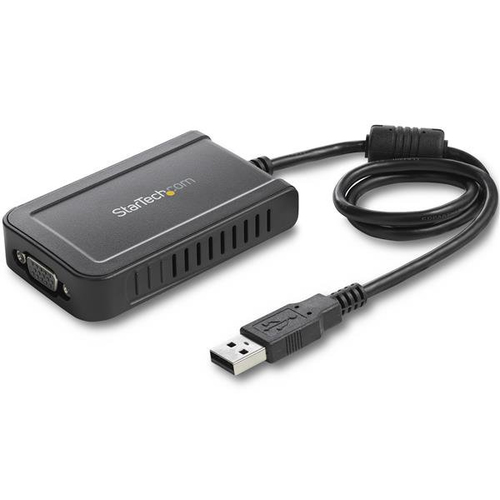
StarTech.com USB2VGAE3 USB graphics adapter 1920 x 1200 pixels Black
USB2VGAE3
StarTech.com USB2VGAE3, 2.0, USB Type-A, VGA (D-Sub) output, 1920 x 1200 pixels
Loading price
or
Loading price
/mo
In stock
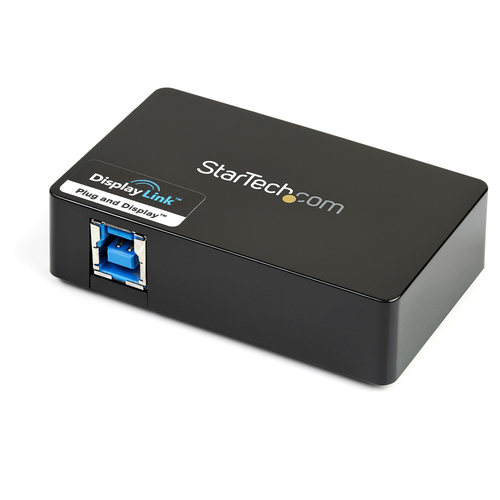
StarTech.com USB32HDDVII USB graphics adapter 2048 x 1152 pixels Black
USB32HDDVII
StarTech.com USB32HDDVII, 3.2 Gen 1 (3.1 Gen 1), USB Type-B, DVI output, HDMI output, 2048 x 1152 pi
Loading price
or
Loading price
/mo
In stock
Description
Turns a 3.5mm audio output port into two distinct ports – one 3.5mm headphone jack and one 3.5mm microphone port
Have you recently purchased a newer laptop or Ultrabook and now you can’t figure out where to plug in your favorite headset?
Most new laptops and Ultrabooks come equipped with a single 3.5mm 4-position (4pin) audio port that supports both audio input and output. A great number of headsets on the market come equipped with two separate headphone and microphone connectors that are not compatible with this new configuration.
The MUYHSMFF headset adapter features two 3.5mm 3-position ports that provide a separate headphone and microphone connection that can be connected to the single audio port on your laptop. Alternatively, you can also connect a separate microphone and powered speakers if you prefer to use Skype or chat online without using a headset.
Headset Connectivity
Simply connect the headphone plug from your headset into the audio output port marked with the headphone symbol, and connect the microphone plug into the audio input port marked with the microphone symbol. Plug the adapter into audio port on your laptop and you’re all set.
Microphone and Powered Speaker Connectivity
Want to work or game without using a headset?
You can also connect a microphone and powered speakers to your laptop using the adapter. Just plug in your microphone into the audio input port marked with the microphone symbol, and plug your powered speakers into the audio output port marked with the headphone symbol, and connect the adapter to the audio port on your laptop.
Keep in touch while you travel
Are you travelling for work or taking a trip?
The headset adapter features a compact and sturdy design that makes it the perfect solution for mobile applications.
Tuck the adapter in with your tablet or slip it inside another carrying case. It works great with tablets and smartphones that have a single audio port. Just connect the headphone and microphone plugs from your headset into the adapter, connect the adapter to your mobile device and start talking.
This high quality 3.5mm headset adapter is backed by StarTech.com's lifetime warranty.
Please note :
This adapter is not a headphone splitter or Y-cable. It cannot be used to split the audio output to two separate sets of headphones or speakers.
Some laptops and mobile devices will not work with all external microphones. This is typically caused by an impedance mismatch between the microphone and the device. This is due to hardware incompatibility and is not a limitation of the MUYHSMFF adapter.
Have you recently purchased a newer laptop or Ultrabook and now you can’t figure out where to plug in your favorite headset?
Most new laptops and Ultrabooks come equipped with a single 3.5mm 4-position (4pin) audio port that supports both audio input and output. A great number of headsets on the market come equipped with two separate headphone and microphone connectors that are not compatible with this new configuration.
The MUYHSMFF headset adapter features two 3.5mm 3-position ports that provide a separate headphone and microphone connection that can be connected to the single audio port on your laptop. Alternatively, you can also connect a separate microphone and powered speakers if you prefer to use Skype or chat online without using a headset.
Headset Connectivity
Simply connect the headphone plug from your headset into the audio output port marked with the headphone symbol, and connect the microphone plug into the audio input port marked with the microphone symbol. Plug the adapter into audio port on your laptop and you’re all set.
Microphone and Powered Speaker Connectivity
Want to work or game without using a headset?
You can also connect a microphone and powered speakers to your laptop using the adapter. Just plug in your microphone into the audio input port marked with the microphone symbol, and plug your powered speakers into the audio output port marked with the headphone symbol, and connect the adapter to the audio port on your laptop.
Keep in touch while you travel
Are you travelling for work or taking a trip?
The headset adapter features a compact and sturdy design that makes it the perfect solution for mobile applications.
Tuck the adapter in with your tablet or slip it inside another carrying case. It works great with tablets and smartphones that have a single audio port. Just connect the headphone and microphone plugs from your headset into the adapter, connect the adapter to your mobile device and start talking.
This high quality 3.5mm headset adapter is backed by StarTech.com's lifetime warranty.
Please note :
This adapter is not a headphone splitter or Y-cable. It cannot be used to split the audio output to two separate sets of headphones or speakers.
Some laptops and mobile devices will not work with all external microphones. This is typically caused by an impedance mismatch between the microphone and the device. This is due to hardware incompatibility and is not a limitation of the MUYHSMFF adapter.
- Compact design for maximum portability - a great solution to have on hand in your laptop bag
- Lightweight, yet sturdy design that can easily be plugged in when required
- Headset not included
- 3.5 mm Male
- 2 x 3.5 mm Female
- Jacket material: Polyvinyl chloride (PVC) Connector contacts plating: Nickel
- AWG wire size: 28
- 7.87" (0.2 m)
- Black
Specifications
Design
Material
PVC - Polyvinyl Chloride
Features
Connector 1
3.5 mm
Connector 2
2 x 3.5 mm
Jacket material
Polyvinyl chloride (PVC)
AWG wire size
28
Connector 1 gender
Male
Connector 2 gender
Female
Quantity
1
Connector contacts plating
Nickel
Product color
Black
Certification
CE, REACH
Logistics data
Master (outer) case height
11.1" (283 mm)
Master (outer) case width
19.9" (506 mm)
Master (outer) case length
13.3" (337 mm)
Quantity per master (outer) case
800 pc(s)
Harmonized System (HS) code
85176200
Other features
Length
7.9 Inch
Ports & interfaces
Connectivity Technology
Wired
Printing
Color
Black
Technical details
Compliance certificates
RoHS
Weight & dimensions
Weight
0.423 oz (12 g)
Length
7.9 Inch
Package depth
3.74" (95 mm)
Package height
0.472" (12 mm)
Package width
3.5" (89 mm)
Cable length
7.87" (0.2 m)
Package weight
0.494 oz (14 g)
Alternative Products
Targus THD007US tablet case Cover Black
THD007US
Targus THD007US, Cover, Apple, iPad 3, 21 oz (594 g)
Loading price
or
Loading price
/mo
Call For Availability
StarTech.com DP2DVID2 video cable adapter 14.6" (0.37 m) DisplayPort DVI-D...
DP2DVID2
StarTech.com DP2DVID2, 14.6" (0.37 m), DisplayPort, DVI-D, Male, Female, Straight
Loading price
or
Loading price
/mo
Call For Availability
StarTech.com USB2VGAE3 USB graphics adapter 1920 x 1200 pixels Black
USB2VGAE3
StarTech.com USB2VGAE3, 2.0, USB Type-A, VGA (D-Sub) output, 1920 x 1200 pixels
Loading price
or
Loading price
/mo
In stock
StarTech.com USB32HDDVII USB graphics adapter 2048 x 1152 pixels Black
USB32HDDVII
StarTech.com USB32HDDVII, 3.2 Gen 1 (3.1 Gen 1), USB Type-B, DVI output, HDMI output, 2048 x 1152 pi
Loading price
or
Loading price
/mo
In stock
MUYHSMFF
StarTech.com MUYHSMFF audio splitter Black
Turns a 3.5mm audio output port into two distinct ports – one 3.5mm headphone jack and one 3.5mm microphone portHave you recently purchased a newer laptop or Ultrabook and now you can’t figure out where to plug in your favorite headset?
Most new laptops and Ultrabooks come equipped with a single 3.5mm 4-position (4pin) audio port that supports both audio input and output. A great number of headsets on the market come equipped with two separate headphone and microphone connectors that are not compatible with this new configuration.
The MUYHSMFF headset adapter features two 3.5mm 3-position ports that provide a separate headphone and microphone connection that can be connected to the single audio port on your laptop. Alternatively, you can also connect a separate microphone and powered speakers if you prefer to use Skype or chat online without using a headset.
Headset Connectivity
Simply connect the headphone plug from your headset into the audio output port marked with the headphone symbol, and connect the microphone plug into the audio input port marked with the microphone symbol. Plug the adapter into audio port on your laptop and you’re all set.
Microphone and Powered Speaker Connectivity
Want to work or game without using a headset?
You can also connect a microphone and powered speakers to your laptop using the adapter. Just plug in your microphone into the audio input port marked with the microphone symbol, and plug your powered speakers into the audio output port marked with the headphone symbol, and connect the adapter to the audio port on your laptop.
Keep in touch while you travel
Are you travelling for work or taking a trip?
The headset adapter features a compact and sturdy design that makes it the perfect solution for mobile applications.
Tuck the adapter in with your tablet or slip it inside another carrying case. It works great with tablets and smartphones that have a single audio port. Just connect the headphone and microphone plugs from your headset into the adapter, connect the adapter to your mobile device and start talking.
This high quality 3.5mm headset adapter is backed by StarTech.com's lifetime warranty.
Please note :
This adapter is not a headphone splitter or Y-cable. It cannot be used to split the audio output to two separate sets of headphones or speakers.
Some laptops and mobile devices will not work with all external microphones. This is typically caused by an impedance mismatch between the microphone and the device. This is due to hardware incompatibility and is not a limitation of the MUYHSMFF adapter.
- Compact design for maximum portability - a great solution to have on hand in your laptop bag
- Lightweight, yet sturdy design that can easily be plugged in when required
- Headset not included
- 3.5 mm Male
- 2 x 3.5 mm Female
- Jacket material: Polyvinyl chloride (PVC) Connector contacts plating: Nickel
- AWG wire size: 28
- 7.87" (0.2 m)
- Black
Technical specifications
Design
Material
PVC - Polyvinyl Chloride
Features
Connector 1
3.5 mm
Connector 2
2 x 3.5 mm
Jacket material
Polyvinyl chloride (PVC)
AWG wire size
28
Connector 1 gender
Male
Connector 2 gender
Female
Quantity
1
Connector contacts plating
Nickel
Product color
Black
Certification
CE, REACH
Logistics data
Master (outer) case height
11.1" (283 mm)
Master (outer) case width
19.9" (506 mm)
Master (outer) case length
13.3" (337 mm)
Quantity per master (outer) case
800 pc(s)
Harmonized System (HS) code
85176200
Other features
Length
7.9 Inch
Ports & interfaces
Connectivity Technology
Wired
Printing
Color
Black
Technical details
Compliance certificates
RoHS
Weight & dimensions
Weight
0.423 oz (12 g)
Length
7.9 Inch
Package depth
3.74" (95 mm)
Package height
0.472" (12 mm)
Package width
3.5" (89 mm)
Cable length
7.87" (0.2 m)
Package weight
0.494 oz (14 g)
Alternative Products
Targus THD007US tablet case Cover Black
THD007US
Targus THD007US, Cover, Apple, iPad 3, 21 oz (594 g)
Loading price
or
Loading price
/mo
Call For Availability
StarTech.com DP2DVID2 video cable adapter 14.6" (0.37 m) DisplayPort DVI-D...
DP2DVID2
StarTech.com DP2DVID2, 14.6" (0.37 m), DisplayPort, DVI-D, Male, Female, Straight
Loading price
or
Loading price
/mo
Call For Availability
StarTech.com USB2VGAE3 USB graphics adapter 1920 x 1200 pixels Black
USB2VGAE3
StarTech.com USB2VGAE3, 2.0, USB Type-A, VGA (D-Sub) output, 1920 x 1200 pixels
Loading price
or
Loading price
/mo
In stock
StarTech.com USB32HDDVII USB graphics adapter 2048 x 1152 pixels Black
USB32HDDVII
StarTech.com USB32HDDVII, 3.2 Gen 1 (3.1 Gen 1), USB Type-B, DVI output, HDMI output, 2048 x 1152 pi
Loading price
or
Loading price
/mo
In stock
Alternative Products
Complete Your Collection with These Popular Picks!
Targus THD007US tablet case Cover Black
THD007US
Targus THD007US, Cover, Apple, iPad 3, 21 oz (594 g)
Loading price
or
Loading price
/mo
Call For Availability
StarTech.com DP2DVID2 video cable adapter 14.6" (0.37 m) DisplayPort DVI-D...
DP2DVID2
StarTech.com DP2DVID2, 14.6" (0.37 m), DisplayPort, DVI-D, Male, Female, Straight
Loading price
or
Loading price
/mo
Call For Availability
StarTech.com USB2VGAE3 USB graphics adapter 1920 x 1200 pixels Black
USB2VGAE3
StarTech.com USB2VGAE3, 2.0, USB Type-A, VGA (D-Sub) output, 1920 x 1200 pixels
Loading price
or
Loading price
/mo
In stock
StarTech.com USB32HDDVII USB graphics adapter 2048 x 1152 pixels Black
USB32HDDVII
StarTech.com USB32HDDVII, 3.2 Gen 1 (3.1 Gen 1), USB Type-B, DVI output, HDMI output, 2048 x 1152 pi
Loading price
or
Loading price
/mo
In stock